How to Check if Email Addresses Are Valid: A Developer's
Learn how to check if email addresses are valid with our developer-focused guide covering syntax, domain, and SMTP validation techniques.
Roughly 20.6% of email addresses are invalid, disposable, or fraudulent at any given time, so one in five contacts can poison outreach before it starts if you don’t screen the list first. That’s why how to check if email addresses are valid is not a copywriting question or a CRM cleanup task, it’s a deliverability problem that starts with syntax, moves to DNS/MX, and ends with an SMTP mailbox check (Mailtester, Scrap.io, Bulk Email Checker). For a software agency sending outbound to mapped accounts, bad validation doesn’t stay local. It drags down sender reputation, hurts inbox placement, and wastes the very list you paid to build, which is why list quality and Coreties list building strategies belong in the same conversation.
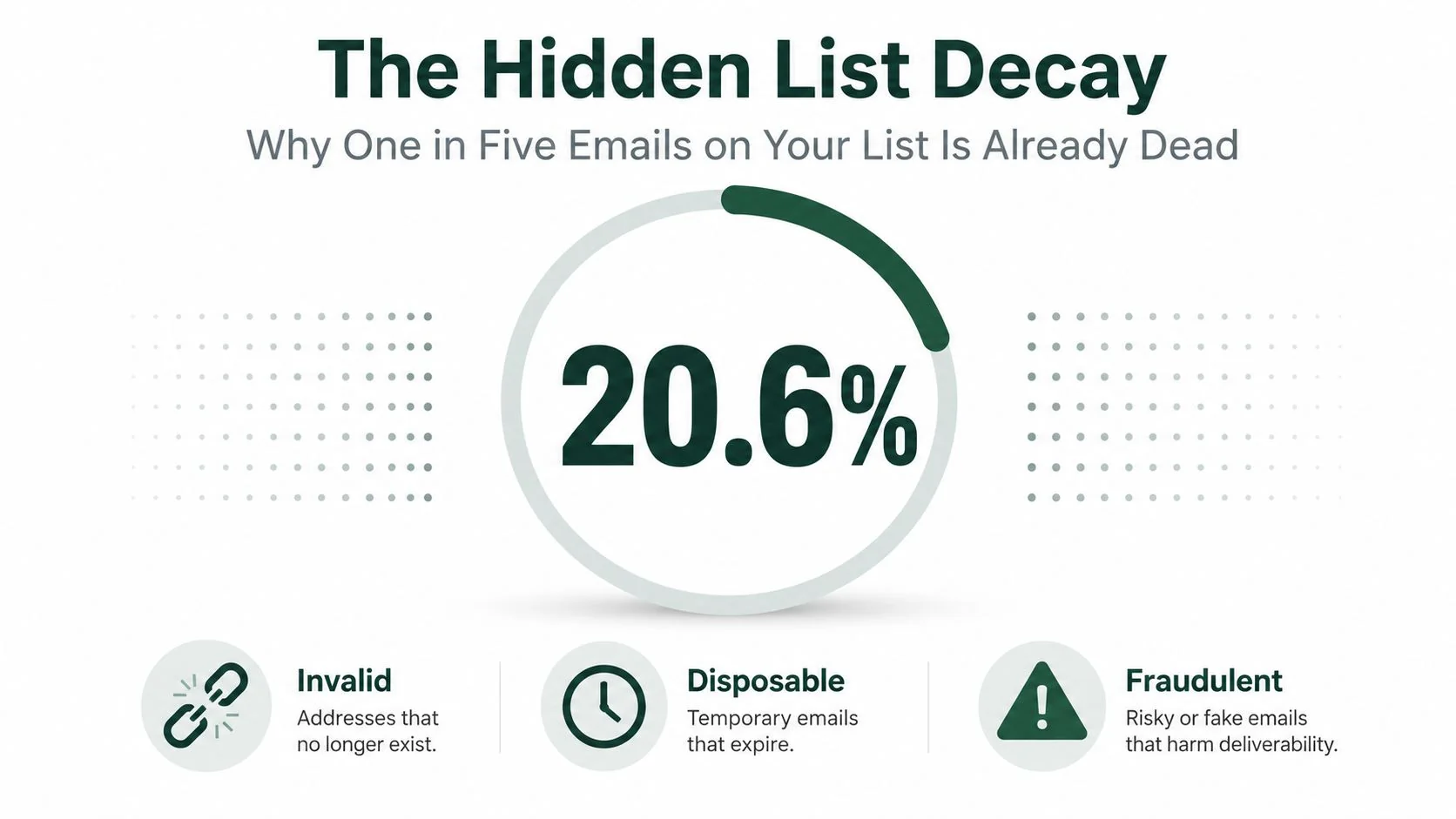
Why One in Five Emails on Your List Is Already Dead
The hard number matters because it changes the default assumption. If 20.6% of addresses are invalid, disposable, or fraudulent at any given time, then a list that looks complete is probably carrying a silent failure rate that many teams never inspect. For agencies doing outbound to 1,000 to 5,000 contacts, that means a large chunk of the list can bounce, get flagged, or never reach a human at all. That is a sender reputation problem before it becomes a campaign problem.
The core validation problem is layered
A lot of teams still treat validation as a regex problem. That is a mistake. The practical model is a three-layer check, first syntax or format, then DNS/MX records, then an SMTP mailbox test to see whether the address can receive mail (Mailtester, Syvel). Format alone only tells you that the string looks like an email address. It does not tell you whether the domain exists, whether mail is enabled, or whether the mailbox will accept a message.
That distinction matters for agencies because list building and list acquisition are separate jobs. A contact can come from a cleanly sourced directory, a referral list, or a niche database and still fail verification once you look beyond the surface. If your process stops at “it has an @ sign,” you are not validating. You are just spotting typos.
Practical rule: syntax validation is the cheapest filter, but it only removes obvious junk. It never proves deliverability.
Why agencies feel the damage first
Agency outbound is usually narrow, high-context, and reputation-sensitive. Once the sending domain gets associated with a bad list, every subsequent send pays for it. That is why list hygiene is not an admin task, it is part of pipeline protection.
The hidden cost is not only the bounce itself. It is the way bad addresses distort your metrics, blunt sequence performance, and make it harder to tell whether the positioning is weak or the list is rotten. If a founder wants niche authority, the email system has to behave like a controlled instrument, not a random blast machine.
One-off cleanup is the wrong mental model
The better frame is production validation, not list cleanup. If the pipeline feeds outbound, CRM imports, or lead forms, validation has to run where the data enters and again before it leaves. The goal is simple. Stop bad records early, keep risky records visible, and avoid sending from a domain that is already bleeding reputation.
A clean list does not just reduce technical failure. It gives the agency a stronger base for niche positioning, because message performance reflects market fit instead of data decay. That is why Coreties list building strategies belong in the same conversation as validation, since list quality and acquisition discipline shape what survives the first send.
Syntax Validation Beyond Basic Regex
Most bad validators fail here because they confuse a convenience check with a standard. A regex can catch a missing @, but it cannot model the rules that govern email syntax under RFC 5322 and RFC 5321 (EXPERTE.com, La Growth Machine). The local part can be as long as 64 characters, the total address can run to 254 to 255 characters, and the address still has to follow domain rules that generic patterns usually ignore (Bulk Email Checker, EXPERTE.com).
A useful validator starts with the cases regex keeps missing. john..doe@example.com should fail because consecutive dots break the local part. john.doe@example..com should fail because the domain labels are invalid. John "JD" Doe <john@example.com> is not a clean mailbox string for your list, even though it may appear in a display-name context. That is the difference between parsing a human-facing string and validating an address you can safely use in outbound work.
Start with the rules regex usually breaks
A valid email address needs exactly one @ symbol. It also cannot contain spaces, commas, or brackets unless they are properly escaped, and the local part can include quoted strings and plus-addressing when the syntax is otherwise correct (La Growth Machine, Bulk Email Checker). That means a simplistic pattern like ^[^@]+@[^@]+$ will let nonsense through and reject edge cases that are technically valid.
Use a pattern that checks structure without pretending to solve deliverability. A practical RFC-aware baseline can look like this:
^(?=.{1,254}$)(?=.{1,64}@)[A-Za-z0-9.!#$%&'*+/=?^_`{|}~-]+@(?:[A-Za-z0-9-]+\.)+[A-Za-z]{2,}$That pattern is still not a full RFC parser, but it does more useful work than a loose [^@]+@[^@]+ check. It enforces length boundaries, requires a real domain shape, and blocks a lot of garbage before any DNS call. If you need to accept quoted local parts or internationalized addresses, handle those cases intentionally instead of assuming one regex covers every valid mailbox format.
The failure mode is easy to see in production. A naive validator accepts malformed domains with consecutive dots, lets bad labels through, and misses the difference between a string that merely resembles an address and one that conforms to the standard. It also tends to break on modern addresses with non-ASCII characters unless the implementation explicitly supports internationalized email handling. That is not an edge case anymore. It is a real user input problem.
What syntax checks should do
Use syntax checks as the first gate, not the whole gate. They should reject obvious typos, malformed domains, whitespace, and addresses that are structurally impossible. They should also run cheaply and immediately, because this is the filter you can safely place on forms and inline inputs without waiting on the network (Truelist).
A good syntax layer should do four things well. First, it should normalize obvious input noise like leading and trailing spaces. Second, it should catch illegal structures such as multiple @ symbols, double dots, and empty labels. Third, it should accept valid but uncommon syntax such as quoted local parts when your product needs to support them. Fourth, it should separate a parseable address from an address that is worth probing later. That separation matters in agency workflows, because a valid string can still sit on a dead domain or a mailbox that rejects mail at SMTP time.
^[^@]+@[^@]+$ is not enough, and neither is a giant copy-pasted RFC pattern you do not understand. The right check is the one your team can explain, test, and maintain in production without blocking legitimate leads or passing broken data into your sequencing stack.
Practical rule: if your validator cannot explain the difference between syntax, domain existence, and mailbox acceptance, it is not a validator. It is a string filter.
That distinction matters to agency teams because the person entering the lead, the SDR importing the CSV, and the RevOps owner approving the sequence all need the same answer. Is the address structurally sound, or is it dead before the first send? Syntax answers only the first half.
DNS MX Records and the SMTP Handshake
Once syntax passes, the next question is whether the domain can receive mail. That starts with a DNS/MX lookup, which confirms whether the domain has mail exchange records and whether the domain is set up for mail flow at all (Syvel, Bulk Email Checker). If there are no usable MX records, the address is usually undeliverable. RFC-based systems also have to think about A/AAAA fallback for domains that accept mail directly through address records, even when MX entries aren’t present (Syvel).
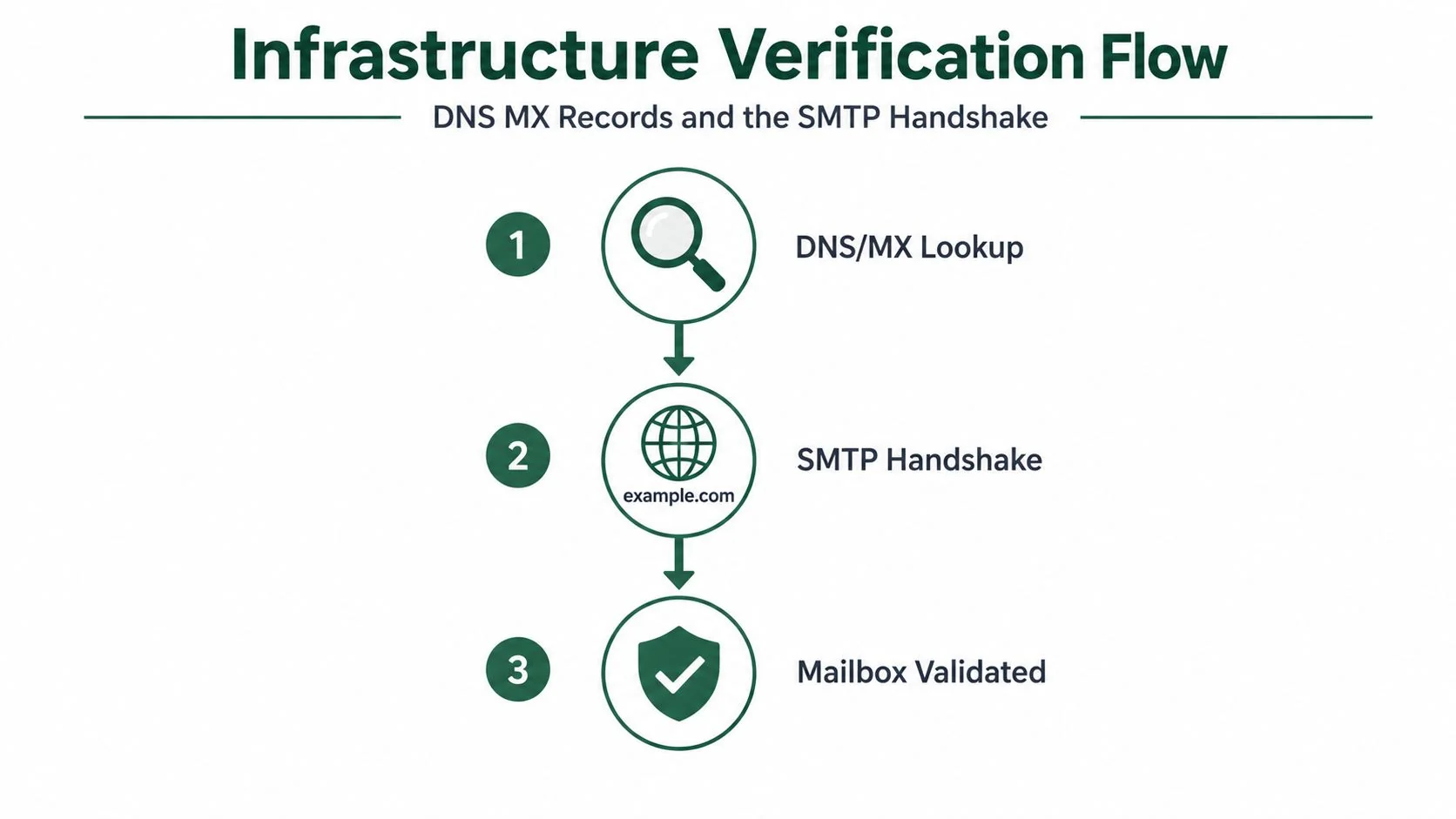
DNS tells you whether mail can route
DNS/MX checking is cheap compared with live probing, which is why it comes before the more expensive step. It removes dead domains, typo domains, and obvious no-mail setups before you touch the recipient server (Bulk Email Checker, Syvel). For agencies, that ordering matters. You don’t want to waste live-server checks on addresses that fail at the domain layer.
The next step is the SMTP RCPT TO probe. The verifier connects to the MX host on port 25, sends the standard SMTP handshake, and inspects the reply code to see whether the recipient is accepted (Syvel). That’s the strongest signal you can get without sending a message.
Practical rule: DNS tells you the door exists. SMTP tells you whether someone inside will open it.
SMTP is strong, but not perfect
SMTP probing is where production reality gets messy. Some domains use catch-all mailboxes, so the server accepts almost anything and makes a bad address look good. Others deploy anti-enumeration defenses or disposable-address logic that intentionally obscures whether a mailbox exists (Bulk Email Checker, Email Checker). That means a positive SMTP response is a useful signal, not a final proof.
The handshake still matters because it’s more specific than syntax or DNS. It checks the actual mailbox acceptance path. But it’s only reliable when you treat the result as one input into a broader decision, not the whole decision. That nuance is exactly where regex-only validators fail and where overconfident operations teams get burned.
For founders running agency outbound, the lesson is simple. Put syntax first, DNS second, SMTP third. Anything else wastes checks, misses failure modes, and gives you false confidence in a list that hasn’t earned it.
Risk Signals That Syntax and DNS Miss
A valid address can still be a bad outreach target. Disposable domains, role-based inboxes, and catch-all systems all complicate the answer to whether an address is worth mailing, even when syntax and DNS look fine (Webbula, Truelist). That’s why a validation stack has to separate deliverable from desirable.
Compare the validation layers against real risk
| Email Validation Risk Layers Compared | Regex Only | DNS/MX Check | Full SMTP + Risk Scoring |
|---|---|---|---|
| Disposable domains | Misses them | Misses them | Flags them |
| Role-based addresses | Often misses them | Misses them | Can flag them |
| Catch-all domains | Misses them | Misses them | Can classify them as risky |
| Mailbox existence | Misses it | Misses it | Probes it |
| Deliverability confidence | Low | Medium | Higher, but not perfect |
The practical takeaway is blunt. A validator that only checks syntax and domain existence can still green-light addresses that will never help pipeline. That’s a problem for agencies because outbound success depends on reaching decision-makers, not just landing in “some inbox.”
Risk is more than technical validity
Disposable email addresses often receive mail just fine, which is exactly why they slip through weak validation. They’re valid on paper and useless in practice (Webbula, Truelist). Role-based inboxes like info@ or sales@ can also be real, but they don’t always map to a named buyer, which makes them less valuable for prospecting. Catch-all domains are worse, because the server accepts a message even if no specific mailbox exists.
The line between deliverability and pipeline quality becomes obvious. A technically reachable address can still be a dead end for a niche agency trying to book meetings with a specific buyer persona. If the address doesn’t map cleanly to the account strategy, it’s not helping authority or conversion.
For a deeper framework on how to combine enrichment with validation logic, the most useful adjacent resource is niche data validation tactics. The point isn’t to add more checks for their own sake. It’s to prevent risky records from entering sequences where they can distort performance and waste send volume.
Practical rule: a “valid” address that belongs to a disposable inbox is still a bad outbound contact.
That distinction is what separates a clean technical list from a commercially useful one. Agencies need both. The list has to be reachable, and it has to be worth reaching.
Building a Validation Pipeline That Protects Sender Reputation
A list can look healthy and still poison sender reputation. That is the operational gap agencies run into after the first bounce spike, when syntax checks, DNS checks, and mailbox reality stop lining up. The fix is a layered validation pipeline that treats each stage as a filter for a different kind of failure, not as a single pass/fail test. Teams that send to mixed prospect lists need that separation if they want to keep domain health stable while they scale.
Put each check where it belongs in the flow
Run syntax checks at capture, so malformed addresses never enter the database. Run DNS and MX checks at import, so dead domains get stripped before they reach segmentation. Keep SMTP probing for the final gate before launch, where the cost of a false positive is highest and the address is most likely to be used in a live sequence.
That order matters because every layer does a different job. Syntax catches formatting errors, DNS confirms the domain can receive mail, and SMTP tells you whether the mailbox appears to exist at that moment. A regex-only shortcut misses the production failures that burn sender score, which is why agencies using email outreach for software agencies need a pipeline that is built around failure containment, not just input hygiene.
Separate mailbox checks from business usefulness
A validator can still return a technically reachable address that is a poor outbound target. Catch-all domains, role accounts, and other ambiguous records often survive basic checks, then create noise inside sequences and muddy reporting. The point is not to reject everything that is unusual. The point is to keep risky records from being treated as if they are high-confidence prospects.
That is the difference between validation for delivery and validation for pipeline quality. If a record is accepted by the server but unlikely to help a rep book a meeting, it should be handled differently from a clean named mailbox tied to a real buying role. For teams that also care about form hygiene and lead integrity, accurate lead data with Growform is a useful reference point for how validation fits into capture and enrichment without turning the process into a pile of disconnected checks.
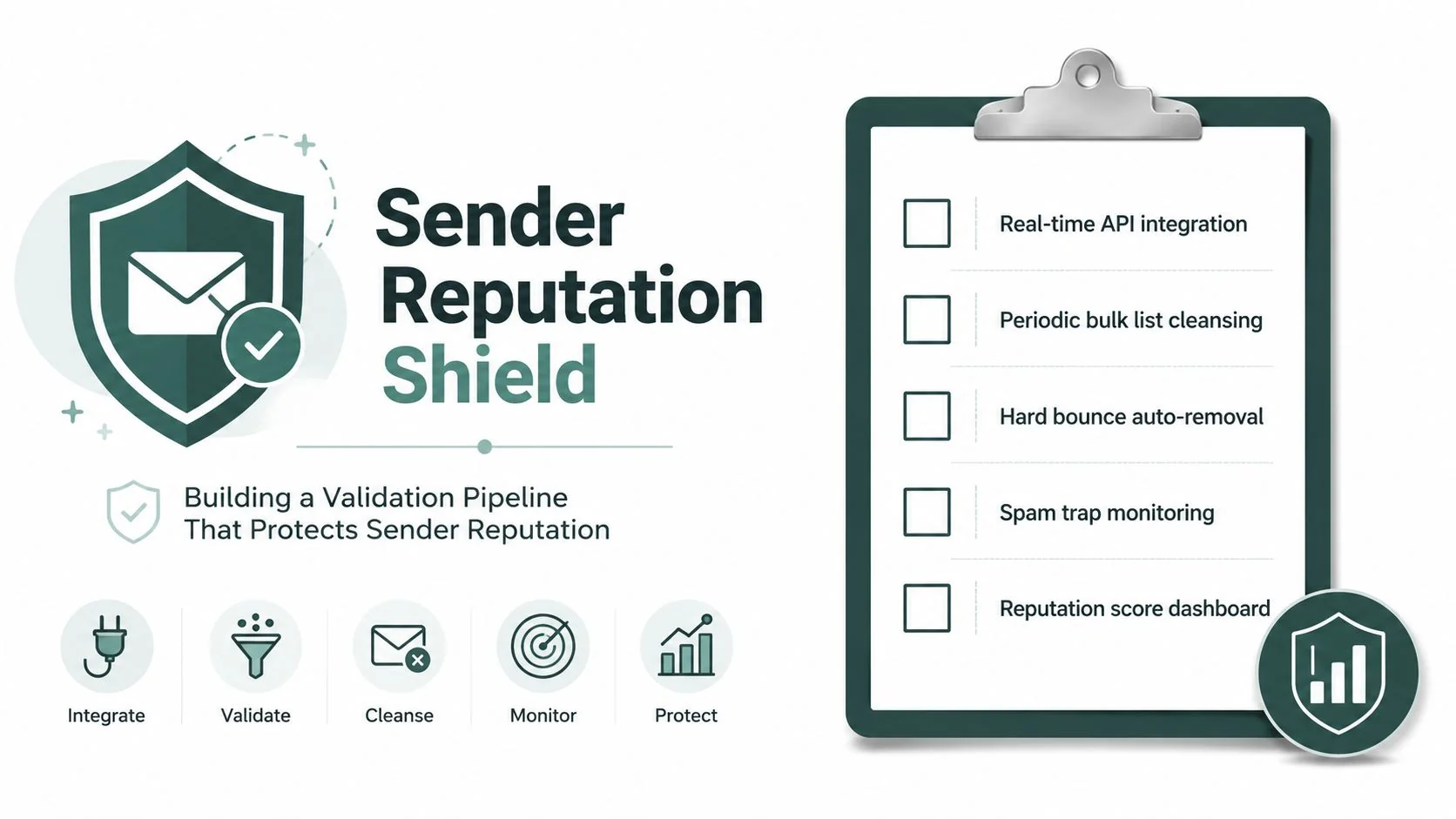
Build the pipeline around sender reputation, not tool output
A good validation stack protects the domain by making bad data expensive to keep and cheap to reject. It lowers bounce pressure, reduces sequence noise, and keeps low-confidence records from mixing with the contacts that deserve send volume. That is how agencies avoid the silent drift from “verified” lists to lists that still fail in production.
The strongest architecture also leaves room for judgment. Some records should be held, some should be rerouted, and some should be dropped before they ever touch outreach. If your pipeline only asks whether an address exists, it is already too shallow. If it protects reputation while preserving usable contacts, it is doing the essential job.
Implementation Checklist for Agency Outbound Teams
The right validation stack is boring in the best way. It should make bad data expensive to keep and cheap to reject. For a software agency, that means choosing tools that run syntax, DNS/MX, and SMTP checks cleanly, while also flagging risky categories like disposable and role-based addresses before they reach a sequence (Mailmeteor, EXPERTE.com). If you’re comparing options, the important question is whether the tool fits your volume, your list hygiene cadence, and your compliance posture.
What to require before you buy
| Decision area | What to look for | Why it matters for an agency |
|---|---|---|
| Check depth | Syntax, DNS/MX, SMTP, catch-all detection | Stops bad data before it burns sends |
| Scale | Bulk support and fast single-address checks | Handles imports and live capture without delays |
| Risk scoring | Disposable and role-based flags | Protects outbound quality, not just syntax |
| Compliance | Clear retention and privacy handling | Reduces operational risk |
| Workflow fit | API or batch mode that fits your CRM | Prevents manual cleanup debt |
What to operationalize after setup
Start by validating every new contact at ingestion. Then revalidate dormant contacts before they re-enter outreach. If a record hasn’t been engaged in a long time, treat it as stale until it proves otherwise. That cadence is the difference between a list that improves over time and one that rots.
Use suppression lists aggressively. Remove hard bounces automatically. Keep tracking bounce behavior, because repeated failures are a sign that the list source is drifting or the enrichment process is getting sloppy. If you need a field-tested view of how this plugs into email outreach for software agencies, the operational takeaway is the same. Clean data wins more often than clever copy on a broken list.
For teams that outsource execution, outsourced agency campaigns can help, but only if the underlying validation process is already disciplined. Outsourcing bad data just means you pay someone else to send from a damaged list.
Practical rule: if the list hasn’t been touched in 90 days, don’t treat it as fresh enough for active outbound.
The final benchmark is simple. Keep bounce rates below the point where reputation starts getting noisy, keep validation coverage high across outbound records, and revalidate on a schedule instead of reacting to a deliverability incident. That’s how agencies build niche authority without burning their best domain on preventable list decay.
If your agency’s outbound depends on a clean sending domain, build validation into the same system that powers positioning, enrichment, and sequencing. 100Signals helps software agencies turn that stack into predictable pipeline, so the next step is to put a real validation policy in place, wire it into your CRM and outbound flow, and stop sending from lists that were dead before the first email left the server.